


UH-X/FX Series - Features
Hydraulic Universal Testing Machines
Control Performance and Ease-of-Operation
Semi-Auto-Tuning Function Enables High Precision Stress Control and Strain Control
(compliant with ISO 6892-2009 and JIS Z2241 metallic materials tensile testing standards)
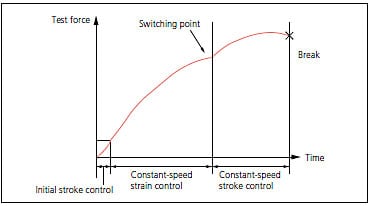
Control parameters are auto-tuned in real time, based on test force and strain values measured during testing. This eliminates the need for preliminary testing and makes it easy to perform highly precise stress-controlled or strain-controlled testing. The semi-auto-tuning function also allows performing ISO 6892-2009 (precision strain-controlled testing)* and JIS Z2241 compliant metallic materials tensile testing.
* Requires TRAPEZIUMX.
Extra-Large Color LCD Touch-Screen Significantly Improves Ease-of-Operation and Visibility
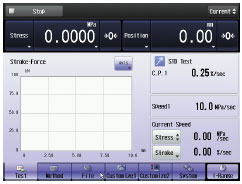
The large 10.4-inch color touch-screen significantly improves visibility and ease-of-operation. This color graphical user interface enables performing a wide variety of functions with a simple touch of the screen. This makes it easy to operate the testing machine, even for first-time users.
It also displays S-S curves in real time during testing.
Rangeless Data Measurement
Test force and strain can be measured without having to specify an amplifier range. This means data can be acquired using optimal measurement parameters, even for specimens with unknown strength. In addition, since the analog indicator and output to the data recorder have a virtual range, evaluation is possible in the same manner as before.
Key Switch Included Standard
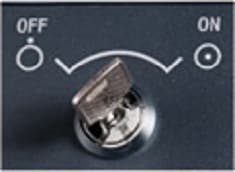
A key switch is provided standard to ensure security is properly controlled.
USB Memory Enables Performing Tests Without Connecting to a Computer*
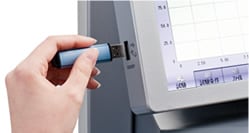
By inserting a USB memory stick into the measurement controller with test parameters stored in the USB memory, tests can be performed without a computer. Furthermore, measurement data is automatically saved in the USB memory after tests, which enables analyzing the data with TRAPEZIUMX or using it to create reports.
* Requires TRAPEZIUMX.
Crosshead Elevating Switch Box (optional) Provides Finger-Tip Control
Using the crosshead elevating switch box allows positioning the crosshead without looking away from the testing space.
* Appearance and specifications are subject to change without notice.
Design Saves Energy and Hydraulic Oil
Hybrid Hydraulic Unit Reduces Power Consumption by 82 %
(with model UH-500kNXh)
A hybrid hydraulic unit combines an AC servo motor with a hydraulic pump so that the pump only operates when necessary. This provides an energy-efficient testing machine and reduces its environmental impact.

This product conforms with Shimadzu's ECO labeled product.
Energy Saving: Power consumption reduced by 82%
as compared to a conventional Shimadzu product.
(with Shimadzu standard operating conditions)
Quieter Hydraulic Unit (for UH-FX only)
The sound level of the hydraulic unit for the grips was reduced by over 10 dB, from 75 dB to 65 dB, compared to the previous model.
Requires up to 50 % Less Hydraulic Oil
For model UH-F500kNXh, the amount of hydraulic oil required has been cut in half, from 80 to 40 liters.
* Appearance and specifications are subject to change without notice.
Reliability and Safety
Ultra-High-Speed Sampling Function Ensures No Sudden Variations in Strength Are Missed
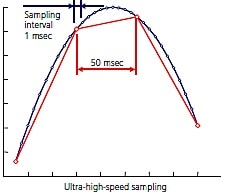
By connecting to a computer installed with TRAPEZIUMX data processing software, data can be acquired at ultra-high sampling rates of up to 1 msec (1 kHz). This enables capturing any sudden changes in test force, such as at the break point of brittle materials, with high precision. Sampling parameters can be changed during tests, so that critical areas can be analyzed in more detail.
A Variety of Automatic Control Programs Included Standard
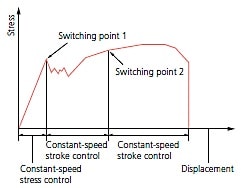
A tensile testing control program for metallic materials (JIS Z2241 and ISO 6892-2009) is included standard.
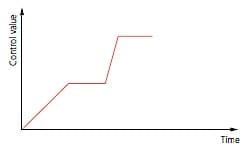
Standard programs include testing at a constant speed, as well as testing where the controlled parameter is increased at a constant rate, and then held at a certain value. The controlled parameters include stroke, test force, strain, and others.
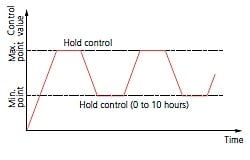
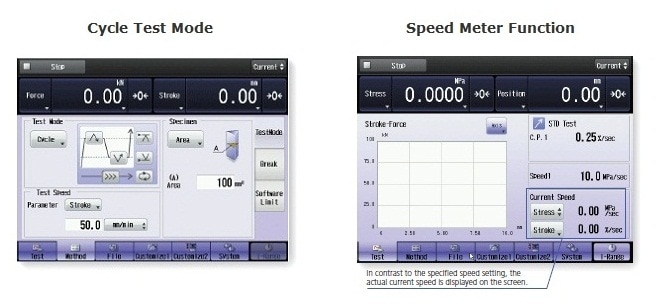
Not only cycle test control, but also high-temperature tensile test control, stroke speed 3-step switching control, and even concrete test control are included standard.
Equipped with Easy-to-Operate Front-Opening Hydraulic Grips (for UH-FX only)
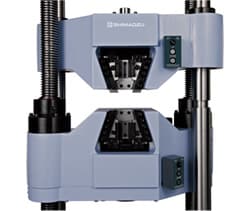
- The center hole hydraulic cylinder actuated front-opening hydraulic grips allow efficient specimen recovery and scale removal and provide superior safety. Testing long materials is easy as well.
- The grip face open/close switch is designed for safety. Grips are actuated only while the switch is depressed.
Easy to Replace Grip Faces (for UH-FX only)
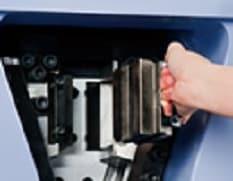
Grip faces are light weight and can be exchanged easily by simply inserting them from the front.
Easy-to-Understand Specimen Grip Positioning Indicator Included (for UH-FX only)
The grip face positioning markings allow gripping specimens easily and accurately.
Compression Plates Installed/Removed Easily in a Single Step (for UH-FX only)
No wrenches or other tools are necessary.
Non-Rotating Threaded Columns Improve Safety
(not included on large-capacity models from 2000 to 4000 kN)
This allows mounting specimens with confidence.
Includes Grip Face Overhang Indicator Cover (for UH-FX only)
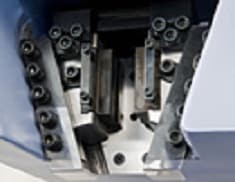
An indicator cover is installed at the maximum grip face overhang position, occurring when the grip faces are closed. This allows mounting specimens with confidence.
Grip Holder Includes Safety Stopper
A safety stopper prevents the left and right grip faces from contacting each other in the event of an operating error, which prevents damaging the grip faces.
Multi-Level Crosshead Positioning Structure (all models)
The upper crosshead position can be changed easily depending on the specimen length. Therefore, tests can be performed at a height appropriate for the operator.
Safety Cover Can be Included for Protection from Flying Specimen Debris
(optional for all models)
A protective safety cover can be included on the loading unit for protection from flying specimen debris. In addition, an interlocked switch can be included on the door, upon request.
* Appearance and specifications are subject to change without notice.
Measurement Controller (Operation Unit)
Easy-to-See Display for Both Digital and Analog Measurements
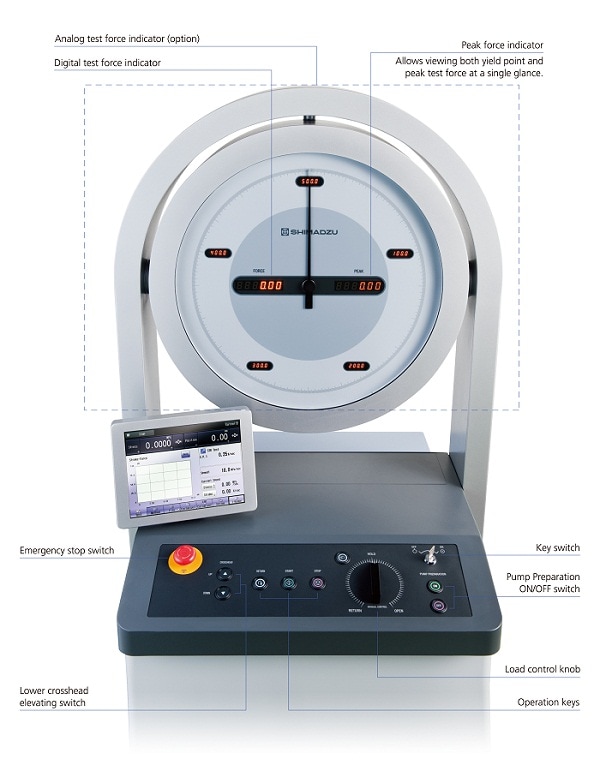
The analog indicator (option) is large, with a 450 mm diameter. The digital display is located within the same field of view to ensure even small changes in test force are not overlooked, such as at the yield point.
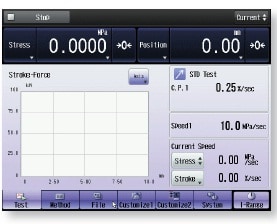
step 1
Main screen
From this initial screen, various settings can be specified or information displayed.
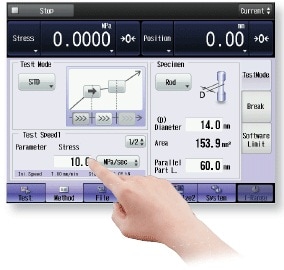
step 2
Set test parameters
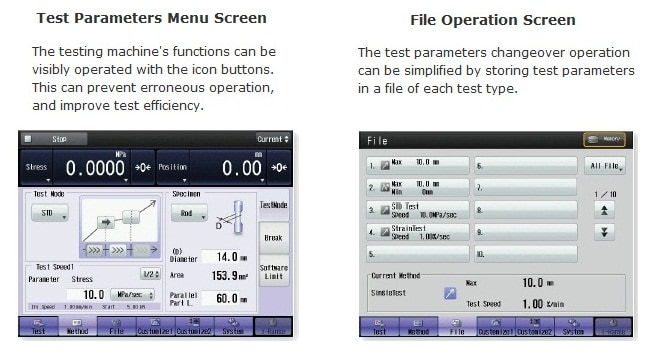
This screen allows the easy entering of all necessary test parameters via a single screen. Enter the loading speed, specimen information, test mode, and other settings.
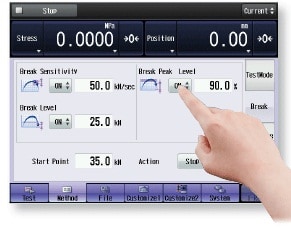
step 3
Set the break detection mode
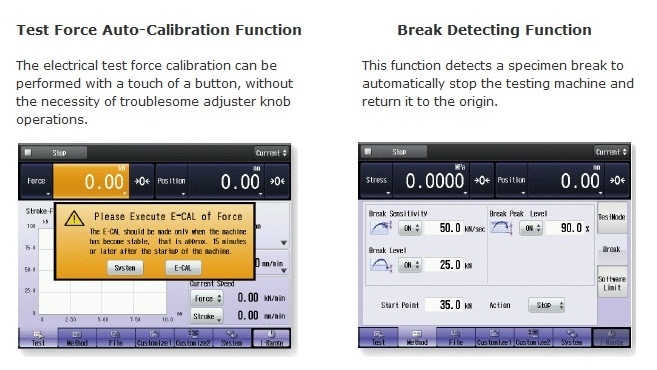
Next, specify the method used for detecting the break point. In addition to the break sensitivity and break level functions available previously, a new break peak level function was added to make the system even easier to use.
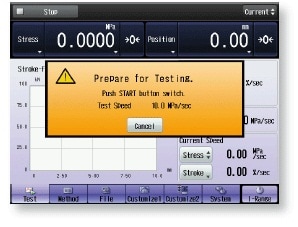
step 4
Start the test
This completes the setup. Now press the start button. To prevent starting accidentally, a two-step interactive start process is used.
* Appearance and specifications are subject to change without notice.
The Touch-Screen Enables Intuitive Operation
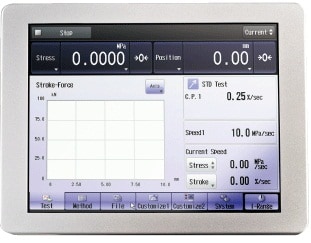
Large Character Display
The large-sized test force/stroke data display can be easily read. The display can be switched to the stress value display mode or displacement value display mode with a touch of a button.
S-S Curve Display
During a test, an S-S curve is displayed in real time.
Testing Machine Operating Status
/Test Parameters Display
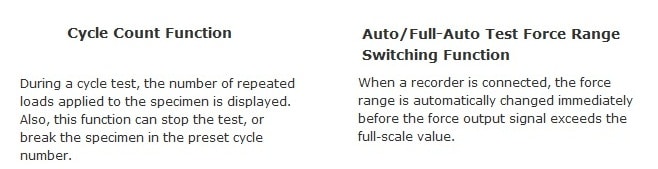
Since the testing machine's operating status and test parameters can be checked at a glance, an erroneous setting or operation can be prevented.
* Appearance and specifications are subject to change without notice.